Izzy Hodnett › Work › Accreditation support effectiveness tracker
Accreditation support effectiveness tracker
Records how a support team actually handles incoming questions, before and after a change to the way they work, so the effect of that change can be measured rather than argued about.
The problem it solves
When a team changes how it works, the question afterwards is whether the change helped. Usually nobody can answer it, because nothing was written down about how the work went beforehand — so people fall back on impressions, and whoever felt strongest about the change tends to win the argument. This records the work as it happens: first through a baseline period where nothing has changed, then through the period being tested. Both halves are logged the same way, by the same people, so what comes out at the end is a comparison rather than a recollection.
How it works
- There is no password. A person taps their name once and the phone or browser remembers them. That is a deliberate choice: the tool is used standing at a desk between other tasks, and a sign-in step is where recording a thing stops happening.
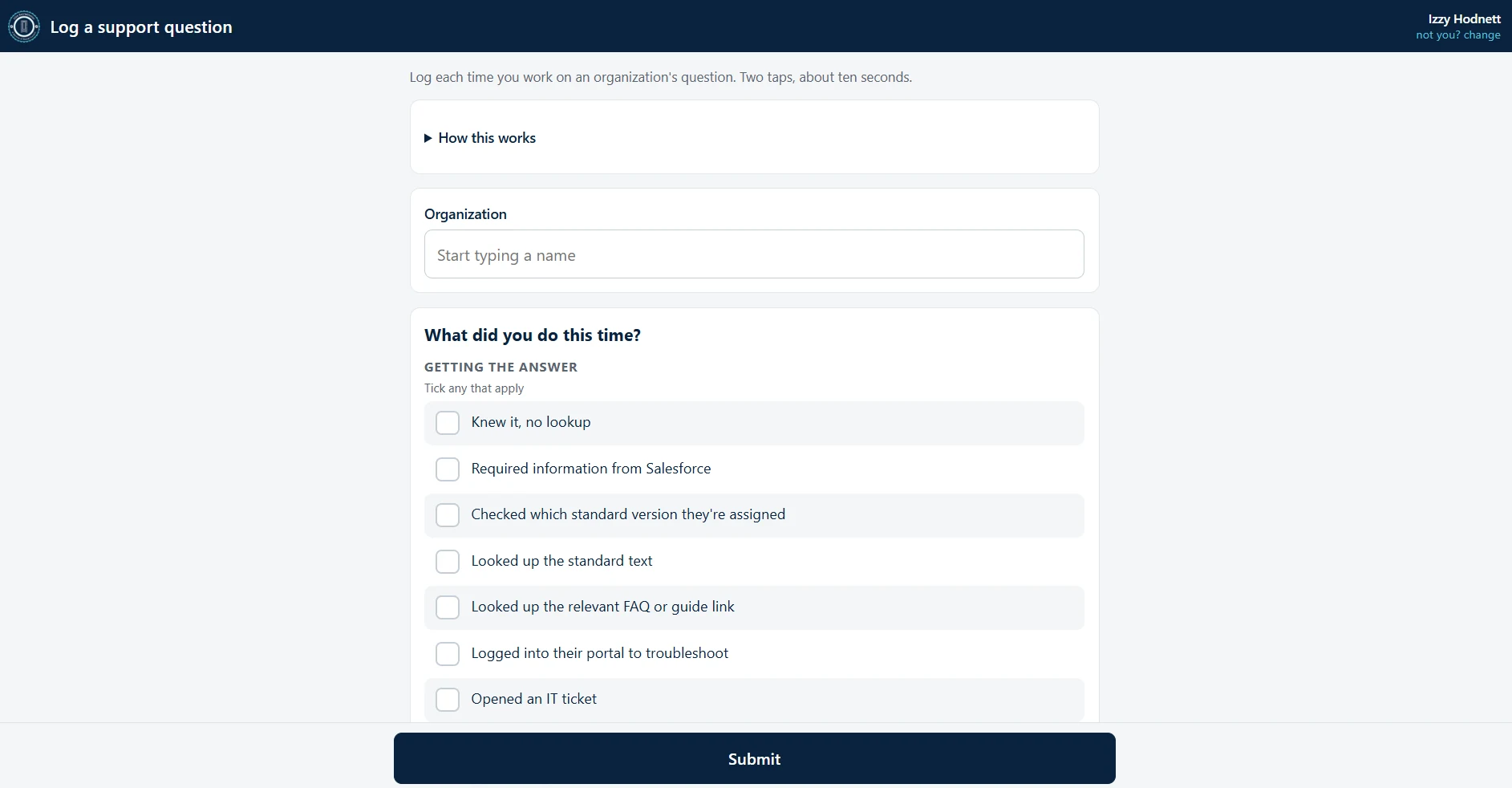
- They log the question as it happens: which organization it came from, whether it arrived by email or by phone, what they did about it, and what actually went back to the organization. The screen says what it asks of them — two taps, about ten seconds — because a measurement that costs more than that is one people quietly stop doing.
- The tool runs in two phases. The first is a baseline, where the team simply records the work as it already is. The second is the period being tested, logged the same way, so the two can be set against each other.
- Every figure on the reporting screen is worked out fresh from those logged entries each time the screen is opened. There is no second set of numbers kept alongside the log that could drift away from it.
- A scheduled email goes out on weekday mornings to anyone with a question still open, so following up does not depend on someone remembering.
What it records
- Each question that comes in: the organization it came from, whether it arrived by email or by phone, and when.
- Each action a person took on it, and what the organization actually received in return.
- For managers, how the question reached them — whether the organization chased them directly, a coordinator brought it over, or it was theirs to begin with.
- How a question was finally closed, and by which route.
- Which days each person was actually working, so a quiet day is not mistaken for a slow one.
- How many open questions each person is carrying at a time.
- Written feedback from the staff using it.
- Corrections: when somebody deletes an entry of their own, the entry leaves every measure and the fact that it was deleted is kept.
No client information is in it at all — only the name of the organization that asked and what staff did about it. That is what makes a tool with no password reasonable here: there is nothing in it that would matter if the wrong colleague opened it. Only the administrator sees the reporting screen, and it exists to decide whether the change being tested is kept, altered or stopped. The counting is deliberately unflattering: where nobody recorded what went back, that entry is left out of the measure rather than counted as a zero, and the smaller number it is measured against is shown beside it.
How it is kept safe
- Questions still open are grouped by how long they have been waiting, and any that have passed the reminder cut-off are listed on their own — those are precisely the ones that would otherwise be forgotten.
- An entry logged on a day someone was not working is recorded and flagged rather than rejected. Silently dropping it would hide a problem with the data instead of showing one.
- Entries with no channel, and names that match nothing in the caseload, are surfaced as their own lists rather than quietly excluded from the totals.
- Deleting the collected data cannot be undone and there is no backup, so the screen that does it says exactly that, requires the word DELETE to be typed, and offers the spreadsheet export first.
- No client or case information is stored, by design. The most sensitive thing in the system is the name of an organization that asked a question.
What this is built with
Each part, and what it does, in plain terms.
- Hosting
- Where the site actually runs. These run on Cloudflare, the same service that carries traffic for a large share of the web, so pages load from whichever of its locations is nearest the reader.
- A web page people use
- The site itself, the screens people click through. It opens in an ordinary browser, so there is nothing for anyone to install.
- A database
- The filing cabinet where the information lives, so it is still there when you close the page. Anything someone types in and expects to find again is kept here.
- A scheduled email
- A message the system sends by itself on a fixed schedule — here, on weekday mornings — listing whatever is still open. Nobody has to remember to run it.
- Data export
- A button that hands over every record as a spreadsheet file. It means the information is never trapped inside the tool.